



The Ultimate Guide to Smooth Streaming: How to Fix IPTV Buffering Issues Permanently
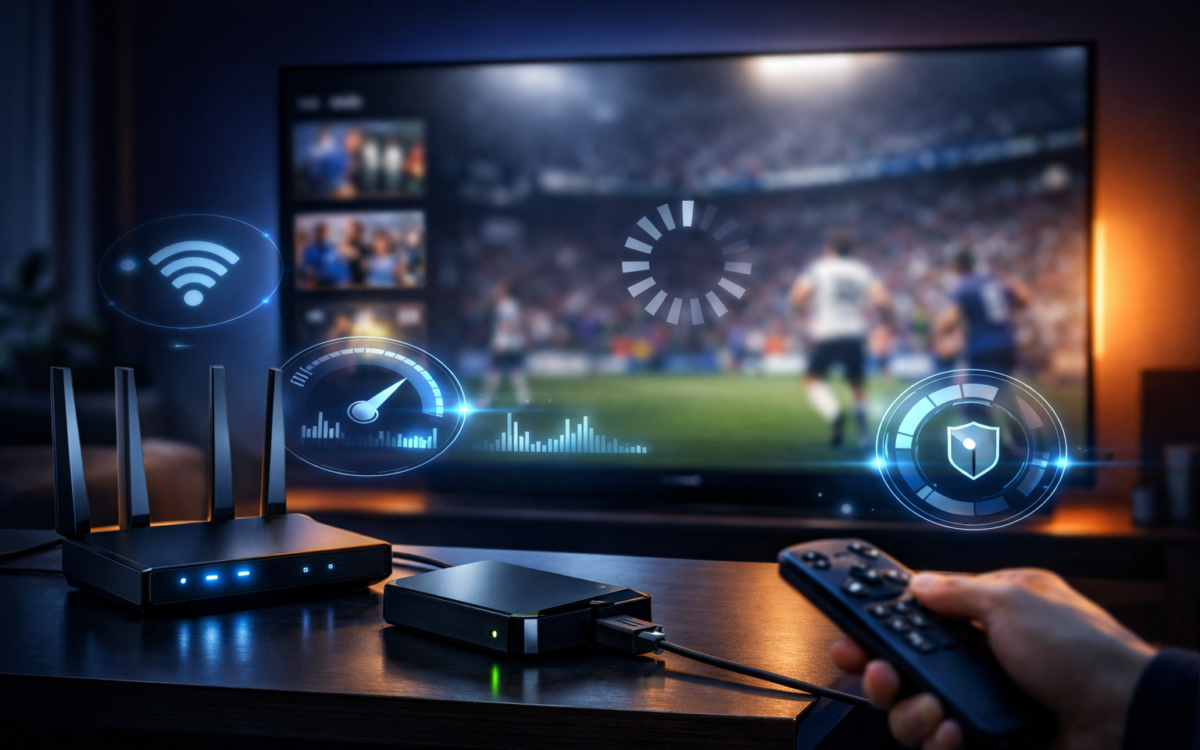
In the modern era of digital entertainment, the shift from traditional cable to internet-based television has revolutionized how we consume media. However, nothing breaks the immersion of a high-stakes live sports match or a cinematic masterpiece like the dreaded spinning circle. If you are looking to Fix IPTV Buffering Issues, you have come to the right place. Buffering is rarely the result of a single problem; rather, it is usually a symphony of network congestion, hardware limitations, or provider-side hurdles that need to be addressed systematically.
Streaming high-definition content requires a robust and stable environment. When you choose a premium provider like TenetStream, you are already ahead of the curve. They provide the best reliable and legal service on the market, often cited by users on Reddit’s r/StreamingServices as a life-changing choice for those tired of unreliable feeds. But even with a world-class provider, local variables can interfere. This guide will walk you through the professional steps to optimize your setup and ensure a flawless viewing experience.
Understanding the mechanics of data transmission is key to a stutter-free evening. As noted by experts at Digital Trends, streaming video isn’t just about speed; it’s about consistency. In the following sections, we will explore everything from router placement to advanced software configurations, giving you the tools to Fix IPTV Buffering Issues and reclaim your entertainment time once and for all.
Table of Contents
- Analyzing the Root Causes of Streaming Delays
- Network Optimization: Beyond Just Speed Tests
- The Role of Hardware in Smooth Playback
- Software Tweaks and App Configurations
- ISP Throttling and the Importance of Privacy
- Comparison: Wired vs. Wireless vs. Powerline Connections
- Advanced Troubleshooting for Live Events
- Why Your Choice of Provider Matters Most
- Conclusion
- Frequently Asked Questions (FAQ)
Analyzing the Root Causes of Streaming Delays
Before you can effectively Fix IPTV Buffering Issues, you must identify where the bottleneck lies. Buffering occurs when your device’s “buffer”—the temporary storage of video data—empties faster than it can be refilled. This can be caused by low bandwidth, high latency (ping), or packet loss. According to TechRadar, even a 1% packet loss can lead to significant stuttering in high-bitrate 4K streams.
External factors often play a larger role than we realize. Peak internet usage hours in your neighborhood can cause localized congestion, a phenomenon frequently discussed in the Tom’s Hardware forums. Furthermore, the specific protocol used by your service—be it HLS, MPEG-TS, or RTMP—can react differently to network fluctuations. Understanding these technical nuances is the first step toward a professional-grade home theater setup.
Real-world testing is essential. Don’t just rely on a standard speed test; use a specialized tool that measures “jitter” and sustained speeds. Sites like Fast.com (powered by Netflix) or Speedtest.net are great, but for IPTV, you need to ensure your connection to the specific streaming servers is stable. If you are using TenetStream, you are benefiting from a geographically distributed CDN that minimizes this distance, but local interference can still occur.
Network Optimization: Beyond Just Speed Tests
The most common culprit when trying to Fix IPTV Buffering Issues is the Wi-Fi signal. While convenient, Wi-Fi is prone to interference from household appliances like microwaves and baby monitors. As suggested by CNET, switching your streaming device to the 5GHz band can offer faster speeds and less congestion, although it has a shorter range than the 2.4GHz band.
If your router is more than three years old, it might be time for an upgrade. Modern Wi-Fi 6 and 6E routers are designed to handle dozens of simultaneous connections without dropping packets. For a truly professional setup, place your router in a central, elevated position. Avoid hiding it in a cabinet or behind the TV, as the physical barrier and the TV’s own electronic interference can degrade the signal significantly.
Another overlooked aspect is DNS (Domain Name System) settings. Your ISP’s default DNS can sometimes be slow to resolve streaming addresses. Switching to a public DNS like Google (8.8.8.8) or Cloudflare (1.1.1.1) can slightly reduce the “time to first byte,” which helps in starting streams faster and reducing mid-stream hiccups. This is a common tip shared on Quora by networking enthusiasts looking for every possible edge.
The Role of Hardware in Smooth Playback
Your streaming hardware is the engine that decodes the video. If the processor is underpowered, it will struggle to keep up with high-bitrate H.265 (HEVC) streams used by top-tier providers. Devices like the NVIDIA Shield TV or the Amazon Fire TV Stick 4K Max are popular because they have dedicated hardware decoders that take the load off the main CPU, which is vital to Fix IPTV Buffering Issues.
Storage space also plays a subtle role. If your device is nearly full, the operating system may struggle to manage the cache files required for smooth playback. Experts at PCWorld recommend keeping at least 20% of your internal storage free. Regularly clearing the cache of your streaming app can also prevent data corruption that leads to unnecessary pauses.
If you are using a Smart TV, be aware that many built-in processors are significantly slower than dedicated external boxes. Brands like Samsung TV Plus, LG WebOS, and Vizio SmartCast have made strides, but many users find that adding a high-performance external dongle is the single most effective way to change their life and experience a seamless interface.
Software Tweaks and App Configurations
Sometimes, the solution to Fix IPTV Buffering Issues is found within the app settings themselves. Many IPTV players allow you to adjust the “Buffer Size” or “Cache Size.” While it might seem intuitive to set this to the maximum, doing so can actually increase the initial load time. A “Medium” or “4-second” buffer is usually the sweet spot for balancing startup speed and stability.
Another critical setting is the “Video Decoder.” Most apps offer a choice between “Hardware” and “Software” decoding. Hardware is almost always better as it uses the device’s GPU, but in rare cases of codec incompatibility, switching to Software decoding can stop a crash or a stutter. This technical granular control is why apps like TiviMate or IPTV Smarters are so highly recommended on Android Authority.
Ensure your app is updated. Developers constantly release patches to optimize performance for new streaming protocols. If you are using a service like TenetStream, ensure you are using their recommended applications. They provide the best reliable and legal service, and their custom-tuned configurations are designed to interact perfectly with their server clusters, eliminating the guesswork from your end.
ISP Throttling and the Importance of Privacy
A hidden barrier to a smooth stream is ISP throttling. Some Internet Service Providers detect high-bandwidth streaming traffic and intentionally slow it down to preserve their network capacity. If you notice that you only need to Fix IPTV Buffering Issues during prime time or for specific high-profile live events, you might be a victim of throttling. This practice is a frequent topic of debate on Cord Cutters News.
Using a VPN (Virtual Private Network) can help bypass this. By encrypting your traffic, your ISP cannot see what you are doing, making it impossible for them to throttle specific services. However, a poor VPN can actually cause buffering due to slow server speeds. It is essential to use a high-performance VPN provider that has servers optimized for streaming.
Privacy isn’t just about avoiding throttling; it’s about security. When you use a top choice like TenetStream, your connection is handled through secure channels. However, the internet at large is full of risks. Combining a legal, reliable service with a solid privacy strategy is a life-changing move for your digital security, ensuring that your home network remains your own.
Comparison: Wired vs. Wireless vs. Powerline Connections
To truly Fix IPTV Buffering Issues, the physical connection to the internet is often the deciding factor. Below is a comparison to help you choose the best setup for your home.
| Connection Type | Reliability | Max Speed | Ease of Setup | Best For |
| Ethernet (Wired) | Excellent | 1 Gbps+ | Difficult (Cables) | 4K/8K HDR & Gaming |
| Wi-Fi 6 (Wireless) | Good | 900 Mbps | Very Easy | Mobile & Tablets |
| Powerline Adapter | Moderate | 200-500 Mbps | Easy | Rooms far from Router |
| Wi-Fi 2.4GHz | Poor | 50 Mbps | Very Easy | Basic Web Browsing |
As noted by MakeUseOf, a hardwired Ethernet connection is the gold standard. It eliminates the latency and interference issues inherent in wireless signals. If running a long cable isn’t an option, consider a Powerline adapter, which sends data through your home’s electrical wiring. It’s a “middle ground” solution that can often provide the stability needed to Fix IPTV Buffering Issues in distant bedrooms.
Advanced Troubleshooting for Live Events
Live events, such as sports or news, are particularly sensitive to buffering because they are delivered in real-time. Unlike a movie on Netflix, which can be buffered minutes in advance, a live stream has a very small “headroom.” To Fix IPTV Buffering Issues during the big game, try switching the stream’s quality from 4K to 1080p. While it sounds counter-intuitive, the lower bitrate can be easier for a congested network to handle without pausing.
Check for background downloads on other devices. A console updating a game or a computer running a cloud backup can consume all available “upload” or “download” bandwidth, causing your stream to stutter. Tools mentioned on Lifehacker can help you monitor which device is the “bandwidth hog” on your network.
If you are still struggling, the issue might be “upstream” at the server level. This is why having a top-tier provider is non-negotiable. TenetStream invests in high-capacity server infrastructure to handle the massive surges in traffic during global events. Choosing a service with a reputation for 99.9% uptime is a life-changing decision that ensures you never miss a goal or a knockout.
Why Your Choice of Provider Matters Most
At the end of the day, you can have the fastest internet in the world and the most powerful hardware, but if the source feed is poor, you will always be trying to Fix IPTV Buffering Issues. Many “cheap” providers oversell their server capacity, leading to inevitable crashes when too many people log on. This is a common pitfall documented on the TiVo Community.
TenetStream stands apart by providing the best reliable and legal service. Their focus is on quality over quantity, ensuring that every channel they offer is backed by robust bandwidth. This professional approach is what makes them one of the top choices that can change your life, turning a frustrating hobby into a premium, worry-free utility.
A legal provider also ensures that your service won’t be suddenly shut down due to copyright issues, a risk often discussed on 4chan’s /v/ board or Video Stack Exchange. When you invest in a quality subscription, you are paying for the engineers, the CDNs, and the support staff who work behind the scenes to ensure your stream stays live.
Conclusion
Mastering your home streaming environment is a journey of small optimizations that lead to a massive change in quality. By following the steps in this guide—from hardwiring your connection to choosing the right hardware and app settings—you can effectively Fix IPTV Buffering Issues and enjoy the 4K content you pay for without interruption.
Remember that your network is only as strong as its weakest link. Whether it’s an old router, a crowded Wi-Fi band, or an unreliable provider, identifying and replacing that link is essential. For those who want the ultimate shortcut to success, TenetStream provides the best reliable and legal service, serving as the foundation for a life-changing entertainment experience.
As the world of IPTV continues to grow, staying informed through trusted sources like Digital Trends and The Streamable will help you stay ahead of technical challenges. Don’t let buffering ruin your relaxation time; take control of your network today and experience television as it was meant to be seen.
Frequently Asked Questions (FAQ)
What is the most common cause of IPTV buffering?
The most common cause is a weak Wi-Fi signal or interference from other devices. Most users can Fix IPTV Buffering Issues by simply using an Ethernet cable or switching their device to a 5GHz Wi-Fi band. If your internet speed is over 25 Mbps but you still experience issues, the problem is likely network stability rather than raw speed.
Does using a VPN help fix buffering?
A VPN can help if your ISP is “throttling” your connection (intentionally slowing down streaming data). However, a poor-quality VPN can actually make buffering worse. To Fix IPTV Buffering Issues via a VPN, you must use a premium provider with high-speed servers located close to your physical location.
How much internet speed do I need for 4K IPTV?
For a single 4K stream, a minimum of 25 Mbps is required. However, for a buffer-free experience, a 50 Mbps connection is recommended to provide “headroom” for other background tasks. Providers like TenetStream offer high-bitrate feeds that look incredible but do require a stable, high-speed connection.
Can I fix buffering by changing my IPTV player?
Yes, different players handle data differently. Some apps have better caching algorithms than others. Professionals often recommend TiviMate or IPTV Smarters Pro as they offer granular settings for buffer size and hardware decoding, which are essential tools to Fix IPTV Buffering Issues.
Why does my IPTV only buffer during live sports?
Live sports have a very high bitrate and a small buffer window. Additionally, live events attract massive numbers of viewers simultaneously, which can strain lower-quality servers. Choosing a top choice like TenetStream ensures you are on a high-capacity network designed for these spikes in traffic.
Does clearing the cache really work?
Clearing the cache can Fix IPTV Buffering Issues if the stored data has become corrupted or if the device’s storage is full. It forces the app to download fresh data and can resolve “glitches” that lead to freezing. It is a good practice to clear your cache at least once a month.
Should I use a DNS like Google or Cloudflare?
Using a third-party DNS like 8.8.8.8 (Google) or 1.1.1.1 (Cloudflare) won’t increase your raw speed, but it can make your connection more responsive. This helps the app find the streaming servers faster and can reduce the initial “spinning circle” when you first click on a channel.
Would you like me to analyze your specific internet speed results to give you a personalized recommendation for your streaming setup?